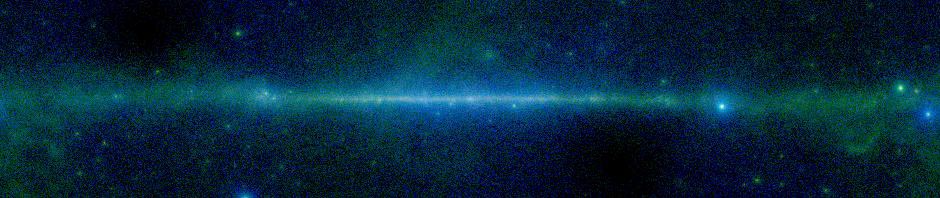
Sometimes we can get a sense of the immensity of the universe from mundane things. The odometer on my 10 year old car is approaching 186,000 miles. That’s about as far as light goes in a single second. It takes light about 1.5 seconds to go from the Earth to the Moon, so I haven’t even gone as far as the nearest celestial body. The solar system is small potatoes though. To get to the very nearest objects that someone using SkyView is likely to want to look at, it takes light over 4 years, over 120 million seconds. That’s a billion years of driving. I don’t think the warranty will hold out!
Archive for the ‘Discussion’ Category
How big is the universe?
Friday, December 16th, 2011Features in the Gallery: Don’t look too close.
Monday, November 14th, 2011We recently had a query about features in the image
.
You can see it in the Gallery.
There images seems to have a very sharp but colorful transition between the bottom left and top right, but there are also a series of red steps on the left. If you look very closely you may see the the white block has two steps parallel to (and of the same width) as the red steps.
What’s going on here?
There are several different things happening here. Almost everything we’re seeing is an artifact of how we chose to sample the data. If you look at the characteristics of the image in the link above, you’ll see that it’s only about 0.0272 degrees on a side. However the survey it is based on, the H-alpha composite image says that the pixels in the underlying data are 2.5′. That’s about 0.042 degrees. So the image we’re looking at covers less than a single pixel in the input data does. We’re immensely oversampled.
Once we realize this, it’s pretty clear that we’re seeing two pixels. The original data in in galactic coordinates, so the border between the two pixels is oblique rather than horizontal or vertical.
The colored stripe is a consequence of using the clip resampling and a rather large smoothing radius (11 in this case). This tends to blur the sharp edges between the pixels so that instead of seeing a step function at the edge between the two pixels, we see a gradual transition with a width of about a dozen pixels. A Stern Special color table means makes the transition look like a rainbow rather than a sequence of grays. The fact that the transitions seems to cover the entire color table is not meaningful. No matter how little dynamic range there is in the image, the default is to try to emphasize details by using the entire color table. In fact the two pixels are not especially different compared to other pixels in the image.
For me, the really hard thing to understand were the steps in the image. Where do they come from? To understand them you really need to understand the clip resampling that this image uses. We call the sampler clip resampling because the way it works is to superpose the grid of user defined pixels on top of the grid of survey pixels. The clip sampler assumes that the flux in each input pixel is evenly distributed over the pixels. In this case the output pixels are much smaller than the input pixels (by a factor of about 600) so they would form a dense almost rectilinear grid over the much coarser survey pixels. The key is the ‘almost’. We’re dealing with projections in the sky, so there are small distortions from rectilinearity. Some of the output pixels are a little bigger than others — and they tend to get larger as we move from right to left in the image. Larger pixels collect a little more flux and so the pixels get smoothing increasing values as we moved from right to left. However, the color table only has a few values that are available in the range of fluxes, so we get the step function that initially seems some mysterious.
If we’d used the Clip (Intensive) sampler, instead of the Clip (Flux conserving) the steps would disappear. This sampler divides each output pixel by the size of the output pixel so that it exactly cancels out the changes in pixel values.

H-Alpha Comp image using Clip (Intensive) sampler
If we’d used the default nearest neighbor method, we’d also not have seen the steps.
On the other hand if we’d used the bi-linear interpolation or the higher order resamplers which try to smoothly interpolated between pixels, then the image will look entirely different since the gradient of the image in both directions will affect the image, not just the two pixels we happen to overlap.
The take home lesson here is that you shouldn’t oversample survey data too much — and you certainly don’t want to ascribe any meaning to features that are smaller than the survey resolution.
SkyView Image Gallery – over 10,000 images
Wednesday, April 27th, 2011Did you know that the image displayed on the SkyView home page is a random image selected from the SkyView Image Gallery which features images created by SkyView users? If you click on the image you can see the specifics – center coordinates, survey, projection, etc. We find it hard to believe we now have over 10,000 images in our gallery and we have seen some truly amazing submissions.
We plan to make some improvements soon to speed up the time it takes to submit the images and to group the images in the gallery so they can be viewed by survey, date, position, etc. We also want to comment more on some of the more unusual images that can be generated in SkyView.
Thank you for your interest in SkyView!
Features in the Gallery: Image boundaries
Thursday, November 5th, 2009One of the images that had gotten temporarily concealed in our Gallery was
DSS2 Red: 2nd Digitized Sky Survey (Red)
| Center: | 12 53 36, -60 20 00 |
| Created: | 2009-10-20 02:48:39 |
There are a couple of weird things going on here. There’s a galaxy which seems to be cut off with a sharp edge. And the quality of the image seems to change abruptly along two lines. What’s going on here?
This is a DSS2 image. The DSS2 survey data are Schmidt plates, about 6 degrees on a side. Especially in the southern hemisphere there’s a fair bit of overlap on the plates, and a single region may be covered by multiple images. For each pixel SkyView uses the image where that pixel is the furthest from the edge of the plate. It looks like this region has data from at least 3 plates. What we are seeing is the boundaries between the plates. The image in the top right corner is deeper than the one on the center, so that it shows the outer region of the galaxy while the central image only shows the core.
Usually SkyView does a better job of joining DSS2 images. Since the 0 point of the plates is pretty arbitrary, SkyView normally looks at the image boundaries and adds an offset to each image so that as we go from one image to another the median shift is 0. This ‘Edge reduction’ option can be turned off. For most surveys that’s the default, but it is turned on by default for some of the optical surveys including the DSS. If we turn it off the image becomes
The boundaries are even more pronounced now. In this case maybe that’s better, since it makes it clearer what’s going on. Most of the time, though, the Edge reduction does a pretty good job of matching the images. The problems tend to arise when there are strong intensity gradients over one or more of the images. We’re only matching a 0 point and not a slope so even if these intensity gradients are real rather than some background effect, the slopes in the different images may not match.
Features in the Gallery: Saturn
Thursday, July 16th, 2009
This recently submitted image looks nothing like the ringed planet Saturn we all know and love.
It turns out that there is a planetary nebula named the Saturn Nebula. SkyView displays images of objects outside our solar system so when “saturn” was entered as a target on the SkyView Query Form the name resolvers we use to identify coordinates returned coordinates for the Saturn Nebula. Planetary nebulae are clouds of interstellar matter ejected by stars as they die. Planetary nebulae are not related to planets but were given the name when they were discovered because they looked like gaseous planets.
The Saturn Nebula is also known as NGC 7009 and is in the constellation Aquarius approximately 1400 light years away. Here is another image of this object.
Features in the Gallery: Color
Wednesday, July 1st, 2009There has been a whole series of beautiful color images posted to the Gallery recently. Some one (or ones) has been using SkyView‘s RGB capabilities to combine data from multiple surveys into color images. This first image of the center of the Galaxy is one nice example.
The mood is quite different in this brooding skyscape around M78.

Take a look in the Gallery and find your favorites. Or use the RGB overlays settings to generate your own. Generally to produce interesting pictures you’ll want to use surveys with comparable resolution.
Java for SkyView-in-a-Jar
Monday, May 4th, 2009Every now and then we receive emails from SkyView users reporting problems running the SkyView-in-a-Jar application (skyview.jar) on a local machine. Most of the time the problems are due to a mismatched version of java being used to run the command. When the wrong version of the java is used the error message typically includes the following error:
Exception in thread “main” java.lang.UnsupportedClassVersionError: Bad version number in .class file
We currently have two versions of skyview.jar, one for Java 1.6 (Java SE 6) and one for Java 1.5 (Java SE 5). If you are not sure which file to download you can determine the Java version from the Linux/Unix/OS X command line on your local machine by running:
java -version
Another problem a couple of users have encountered involves the use of gij, the GNU Interpreter for Java. At this time there seems to be an incompatibility between gij and the Skyview-in-a-Jar application. We are looking into this and hopefully will have this problem fixed soon. In the meantime it is advised that users install or switch to the Java interpreter provided by Sun Microsystems.
As always, if you questions about any aspect of SkyView please contact us.
Features in the Gallery: Sometimes you can do better
Wednesday, April 29th, 2009The image from 2009-04-20 01:54:28 shows a typical IRAS 100 micron image:

There’s a very detectable pattern of lines crossing the image from top left to bottom right. These are remnants of the scan lines used in taking the data. The team that built the IRIS survey, headed by Marc-Antoine Miville-Deschenes and Guilaine Lagache reprocessed the data to — among other things — get rid of, or at least minimize, these scan lines. If we simply choose the IRIS100 survey with identical parameters we get the image below. The scan lines are completely gone. That’s why it’s IRIS: the ‘Improved’ Reprocessing of the IRAS Survey. Nice job guys!

Features in the Gallery: Space Frisbees?
Wednesday, April 29th, 2009This image from 2009-04-27 22:10:22 seems to show a lot of disks in the sky. What’s going on here?

The image is taken from the ROSAT pointed observations. The ROSAT mission comprised two phases. In an initial phase the satellite scanned the entire sky producing the data SkyView shows in the RASS surveys. After the all-sky survey was done, ROSAT made much deeper observations of particular points in the sky. Each observation looked at a circle roughly a degree in radius. These observations are the source for the ROSAT PSPC surveys in SkyView. We took all of the observations and added them up to create all sky tiles. Only about 20% of the sky was covered in total, so a very large scale image, like this one, shows the observations as little disks in the black, unobserved, background.
The GALEX survey is very similar, though the overall sky coverage is substantially higher. However while we created a set of static tiles for ROSAT, with GALEX we add the observations together dynamically when the user makes a request. A big part of the reason is that computers have gotten much faster in the 10 or so years since we built the ROSAT surveys, so its much more feasible to do this kind of dynamic addition of data today.


